Manage Data
On the Manage Data page, you can view and explore your indexed and graph data.
Manage Data is located in the web app at Manage > Knowledge & Data > Manage Data.
The page is separated into the following tabs:
Data Counts
GraphDB Explorer
VectorDB Explorer
Data Counts
In the Data Counts tab, you can see an overview of your indexed documents across different source categories. Biggy uses indexed document data to fulfill user requests.
The Data Counts tab is divided into two sections:
Vector DB Counts - current indexed document totals, by source.
Graph DB Counts - current graph coverage for ITSM, CMDB, and tacit knowledge.
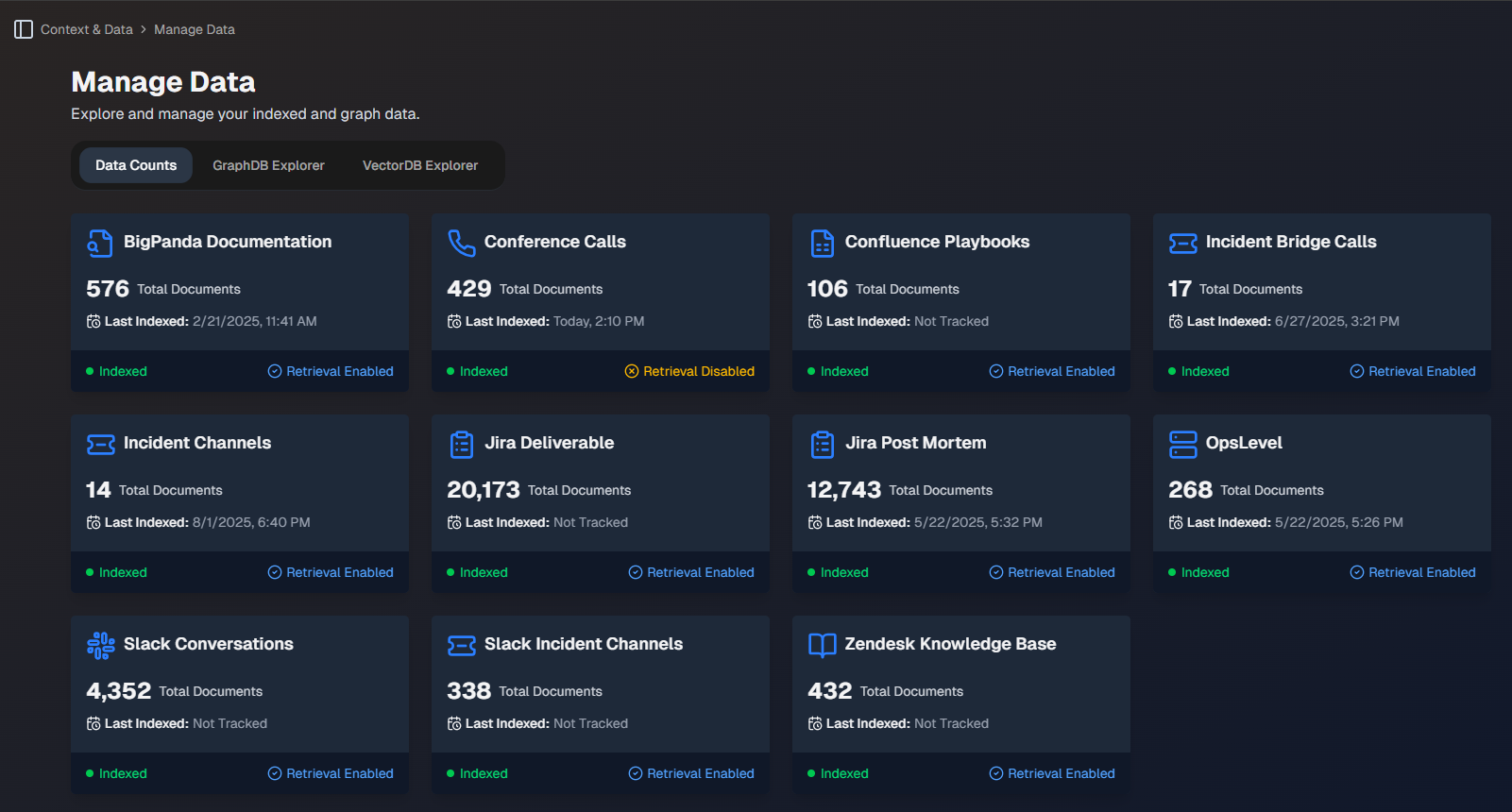
In the Vector DB Counts section, the following information is displayed for each data source:
Total number of documents
Last indexed date
Status (Retrieval enabled, retrieval disabled, or active learning)
In the Graph DB Counts section, the following information is displayed for each category:
Number of nodes
Number of relationships
Whether the graph is configured
GraphDB Explorer
The GraphDB Explorer tab provides a searchable visualization of your data. Type a keyword into the search box to find a specific document or data point. You can see all data or services that are related to or have interacted with the piece of data.
For example, you can search for the name of a specific user to see all of the incidents they have worked on.
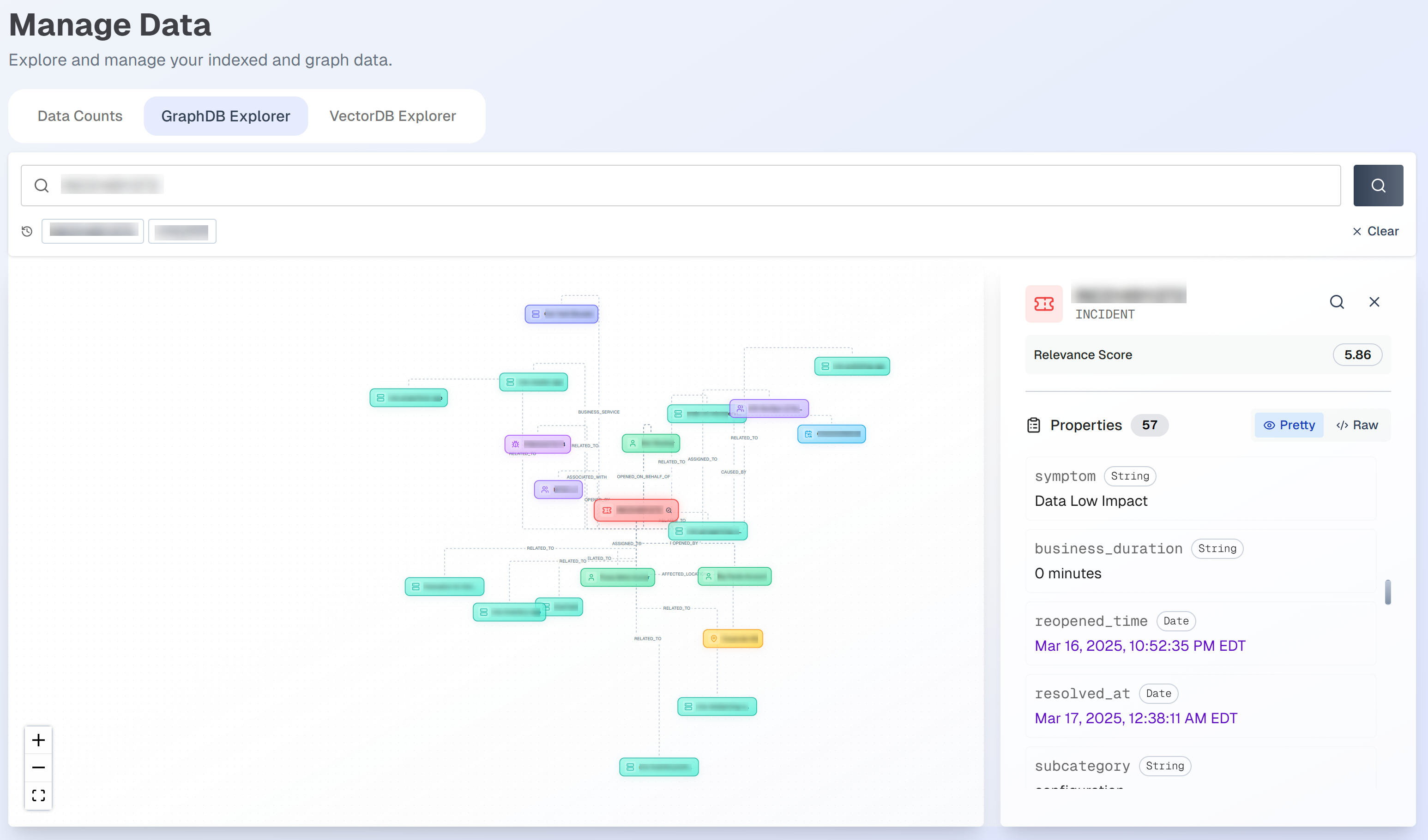
Properties related to your search result appear in the right details pane. The Relevance Score shows how closely the document matched the searched keyword.
VectorDB Explorer
Use the VectorDB Explorer tab to search for specific indexed documents. Type a keyword into the search box to view matching documents. You can use the Source dropdown menu to filter by one of your data sources.
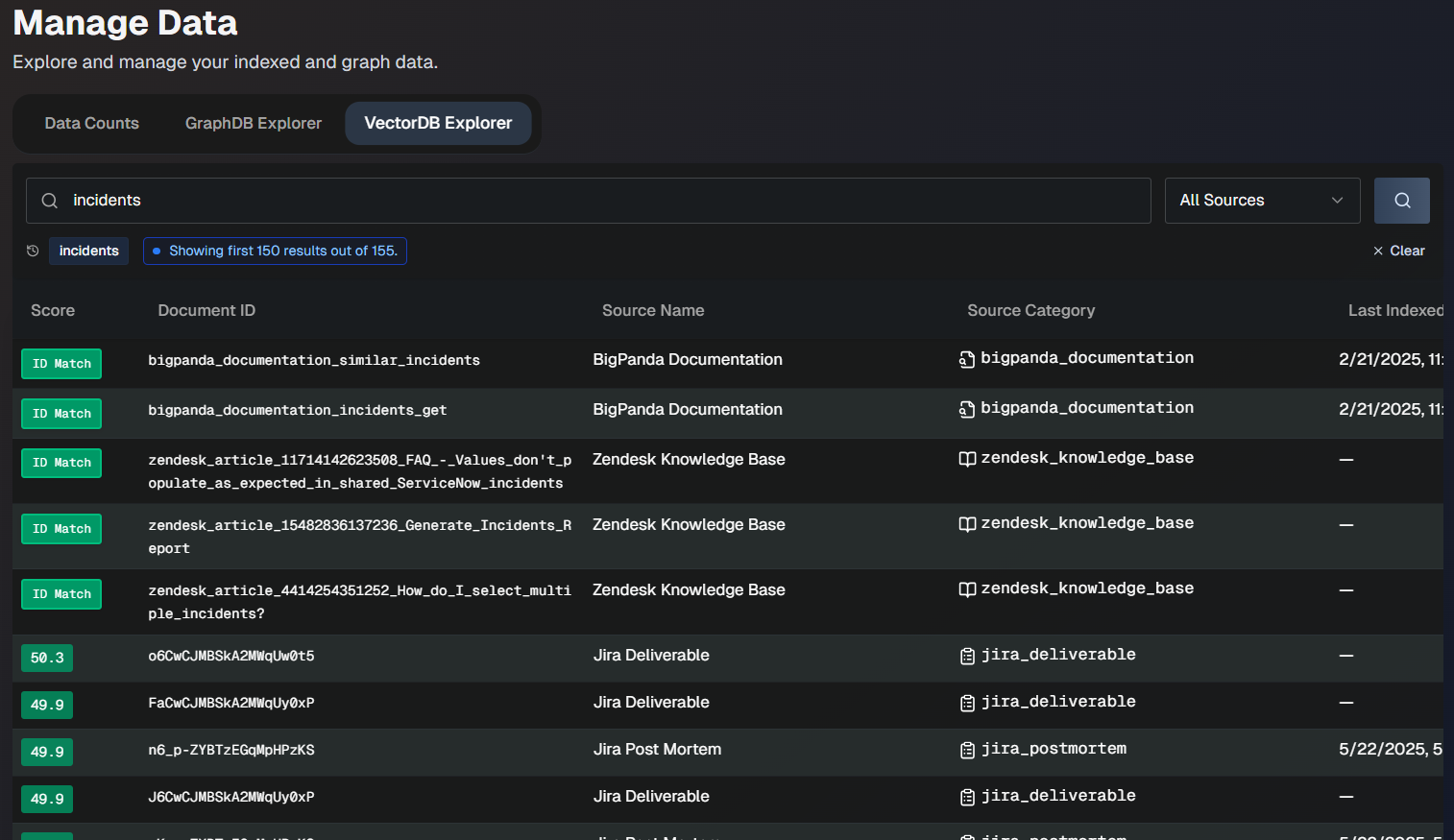
The following information for each document appears in the list:
Field | Description |
|---|---|
Score | Score of how closely the document matches the searched keyword. |
Document ID | Unique ID of the document. |
Source Name | The name of the source the document was ingested from. |
Source Category | The data category that the source is part of. |
Last Indexed | The date and time when the document was last indexed. |
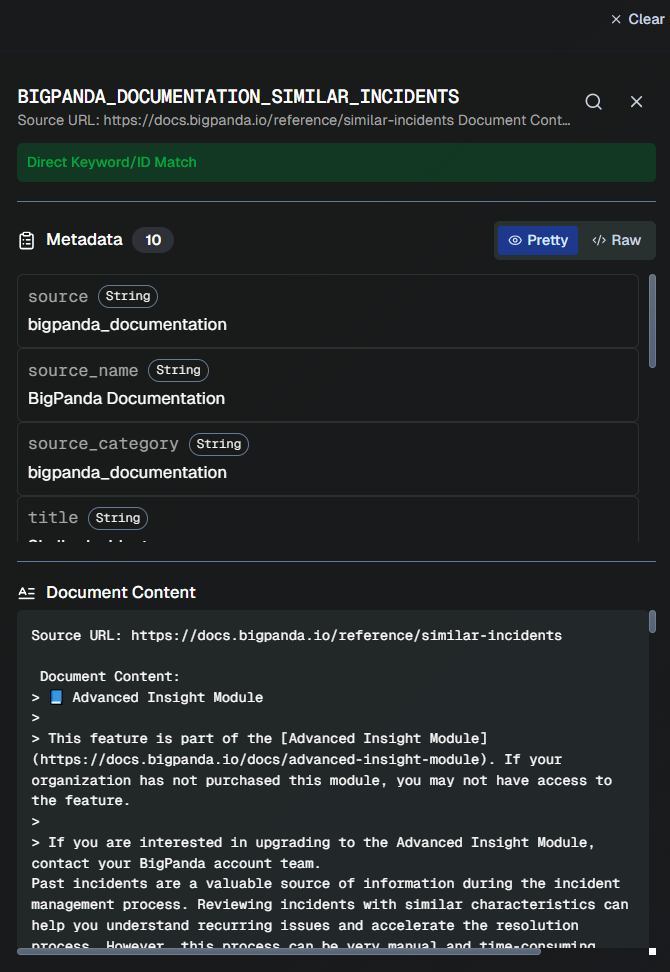
Click any document in the list to view additional details, including metadata and the full document content.