Manage AI Incident Assistant Acronym Map
.
Acronym Map
The Acronym Map connects your organization's commonly used acronyms to their full name and definition. This gives AI Incident Assistant context and improves retrieval accuracy.
The Acronym map is located in the web app at Configuration > Acronym Map.
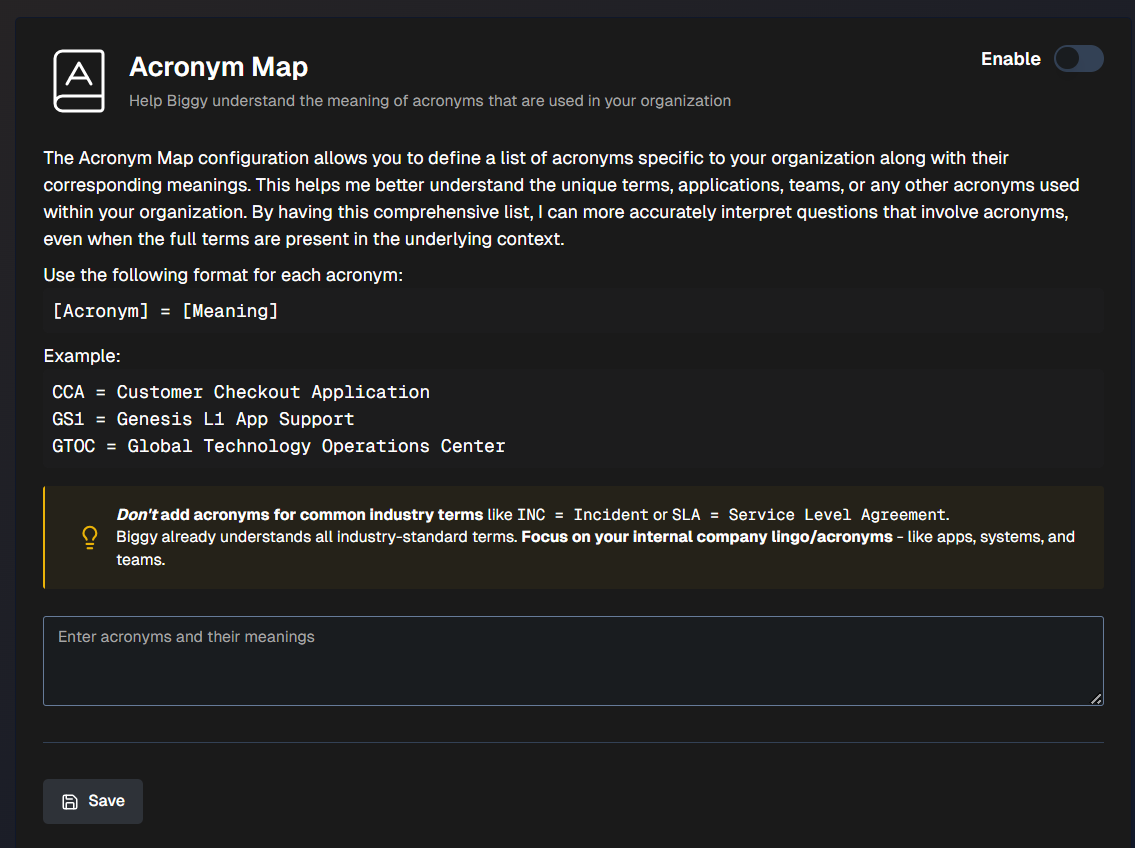
Your acronym map should be written in plain language in the following format: [Acronym] = [Meaning]. For example:
CCA = Customer Checkout Application
GS1 = Genesis L1 App Support
SAM = Service Availability Manager
Industry-standard terms
AI Incident Assistant already understands common industry-standard acronyms like INC = Incident or SLA = Service Level Agreement. Only add acronyms that are specific to your organization, like terms specific to apps, systems, and teams.
To add an acronym, click Add acronym. Enter the Acronym and the Definition, then click Save.